If you run Salesforce CPQ today, the end-of-sale announcement has probably turned a quiet architecture question into an urgent one. When you evaluate replacements for Salesforce CPQ, where will your quote, pricing, and configuration data actually live? Vendors use words like native, embedded, and integrated almost interchangeably, but these words describe very different data architectures, and each has different consequences. This article explains how native and synced CPQ (configure-price-quote) architectures differ, what each means for data integrity, reporting, security, and administration, and which questions to ask before you commit.
TL;DR
- Salesforce CPQ is end of sale, not end of life. Salesforce stopped selling it to new customers in March 2025. Existing customers can keep using it, renew, add users, and receive support. Salesforce hasn't announced an end-of-life date. Meaningful new feature development has moved to Revenue Cloud Advanced (RCA), now part of Agentforce Revenue Management.
- The core architectural question is not "native or not." It is which system is the system of record for accounts, products, prices, quotes, and approvals, and where the configuration and pricing engine runs.
- A native Salesforce CPQ model keeps the authoritative record in Salesforce CRM. A synced CPQ model copies data to an external quoting platform, calculates there, and writes results back. Each copy adds latency, failure modes, and reconciliation work.
- Native is not automatically better. Managed-package architecture inside Salesforce brings its own constraints: governor limits on large quotes, nested bundle behavior, Quote Calculator Plugin (QCP) customizations, and change cycles that often need specialists.
- Practical recommendation: evaluate on behavior, not labels. Ask:
- where each record lives
- which engine calculates price
- whether the vendor writes to standard and custom Salesforce objects
- what middleware is required
- what happens during an outage
- where data is stored for residency and audit purposes
What "Native" and "Synced" Actually Mean
Native and synced describe where data lives and where calculation happens, not how a product looks. Treat both terms as claims to be tested, not categories to be trusted.
A Salesforce-native CPQ is built as a managed package on the Salesforce platform. Its objects are Salesforce objects, its logic runs in Salesforce, and Salesforce CRM is clearly the system of record. Salesforce CPQ itself is the familiar example, with its SBQQ objects sitting alongside standard Product2 and Pricebook records.
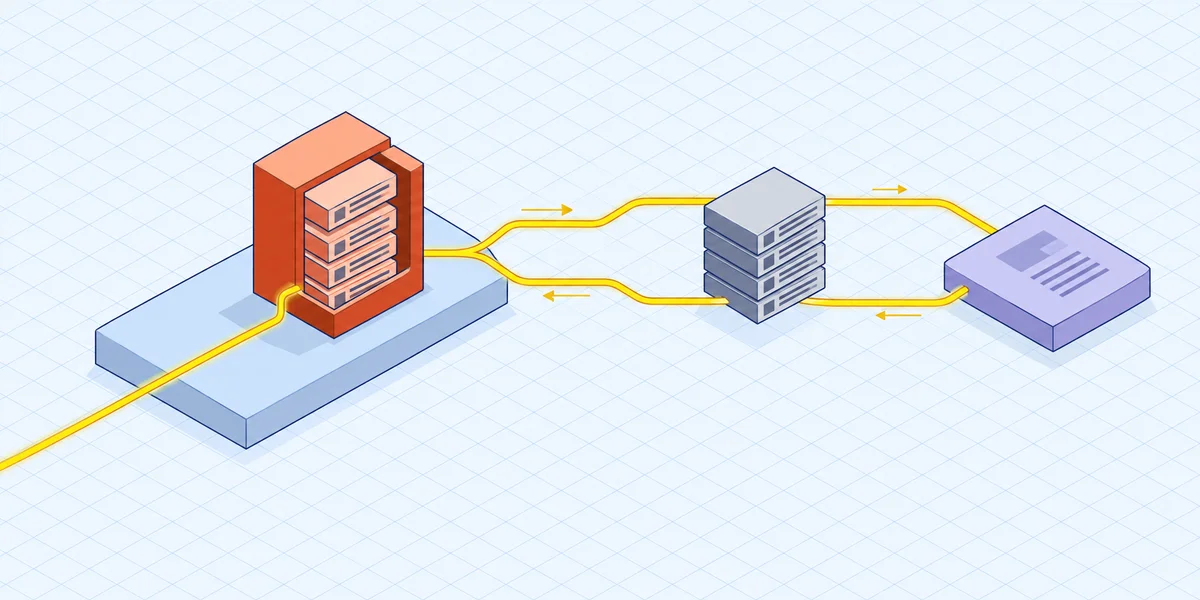
A synced CPQ runs on an external quoting platform. Accounts, contacts, products, and price books are copied out of Salesforce, either on a schedule or when a trigger fires. Configuration and pricing happen in the vendor's environment. The resulting quote, line items, and documents are written back into Salesforce, often through middleware or an integration platform as a service (iPaaS).
A third pattern, embedded CPQ, often gets lumped in with both. An embedded CPQ shows its interface inside Salesforce and reads from and writes to Salesforce data directly. To the user, it looks like native. You should still ask the vendor directly which records are authoritative and which are copies.
Why the label alone tells you nothing
Some vendors describe their products as native because they ship a Salesforce package that sits in front of an external engine. Others describe their products as integrated while keeping Salesforce as the authoritative store. The only reliable comparison is to map each data object and ask whether Salesforce holds the master copy or a replica.
The Practical Consequences of Replication
Every copy of a record is a copy you have to keep correct. That is the core of the argument, and the cost shows up in six predictable places.
- Stale or mismatched records. A price book updated in Salesforce at 9:00 a.m. may not reach the external quoting platform until the next sync window. A rep quotes from the older copy.
- Sync failures, latency, and conflict resolution. When both systems can edit the same record, someone must decide which version wins. That logic is rarely simple and rarely well documented.
- Duplicate records and reconciliation work. Partial syncs create orphaned accounts and near-duplicate products that operations teams clean up by hand.
- Reporting against a copy. If quote line detail lives outside Salesforce and only summary totals come back, your Salesforce pipeline and margin reports are built on a summary, not the source data.
- Middleware as a maintenance obligation. Point-to-point integrations and iPaaS flows need owners, monitoring, regression testing, and rework after platform releases on either side. The full cost of middleware and duplicate records deserves its own line in your evaluation.
- Data governance and residency exposure. Storing customer, pricing, and discount data in another platform gives your security, privacy, and audit teams more to cover. Data residency commitments, retention policies, permission models, and breach response all have to be satisfied in two places instead of one.
None of this makes synced architectures unworkable. Plenty of organizations run them well. But the operating cost is real. It belongs in your business case, not quietly absorbed by admins and IT.
Where Native Salesforce CPQ Hits Its Own Limits
Native architecture solves the replication problem but brings platform constraints instead. This matters because "stay native" is not a free answer.
Salesforce CPQ runs inside the Salesforce managed-package model, so it is subject to platform governor limits. Teams usually hit those limits with very large quotes, deeply nested bundles, and high rule volumes. The symptom is usually slow calculation or failed quote operations, not a clear error message.
Rule maintenance is the second constraint. Product rules, price rules, and constraint logic are powerful. But as the catalog grows, it gets hard to predict how they interact. Many organizations end up extending calculation through the Quote Calculator Plugin (QCP), which is custom JavaScript. That code becomes a dependency. It needs regression testing and someone who understands it, and it adds to the scope of any later migration.
Third, change velocity. Configuration spans objects, rules, flows, approvals, and sometimes Apex. As a result, routine changes often go through a specialist or an implementation partner rather than a business administrator. For a deeper look at governor limits, SBQQ objects, and QCP performance, see our guide to managed-package limits.
Salesforce CPQ still does a lot well. It suits moderate-complexity quoting with a stable catalog and mostly subscription revenue, where quoting stays inside the Salesforce ecosystem. For that profile, it remains a capable product that existing customers can continue to run and renew.
The Three Paths, Compared on Data Architecture
Current Salesforce CPQ customers have three realistic options, and each one answers the data-location question differently. This section looks at them only through a data-architecture lens. For fit criteria beyond architecture, see the three paths compared in full.
- Stay on Salesforce CPQ. The system of record stays in Salesforce. You accept the platform constraints above and a product that is no longer getting meaningful new features. This makes sense if your quoting is stable and your roadmap doesn't depend on new CPQ capability.
- Reimplement on Revenue Cloud Advanced. Data stays on the Salesforce platform, but with a different data model and configuration approach. This is a reimplementation, not an upgrade. You redesign and retest catalogs, rules, pricing logic, approvals, templates, and integrations. This makes sense if you want to follow Salesforce's strategic roadmap and are ready for a redesign project.
- Keep Salesforce CRM and replace the quoting layer. Salesforce remains the CRM system of record, and only the configure-price-quote engine changes. On this path, native versus synced becomes the deciding question. The replacement's architecture determines whether you gain capability without taking on a replication problem.
How Experlogix CPQ Approaches the Data Question
Experlogix CPQ is one example of the third path. It adds configuration and pricing depth to Salesforce while keeping Salesforce CRM as the system of record.
The user experience is embedded. Reps configure, price, and quote without leaving Salesforce. They work in the CRM interface they already use, with no separate login and no switching between an external quoting platform and the opportunity record.
On data flow, Experlogix reads from and writes to Salesforce. It doesn't just pull data out. It writes enriched configuration details, pricing calculations, and approval status back into Salesforce in real time. It can also write to standard or custom Salesforce objects without developers. Its Cloud Connect integration synchronizes quotes, orders, and approvals across CRM and enterprise resource planning (ERP) systems without custom code. It's designed to remove the middleware and point-to-point integrations that tend to break with platform updates. For a closer look at the mechanism, see how Experlogix can quote directly from your CRM data.
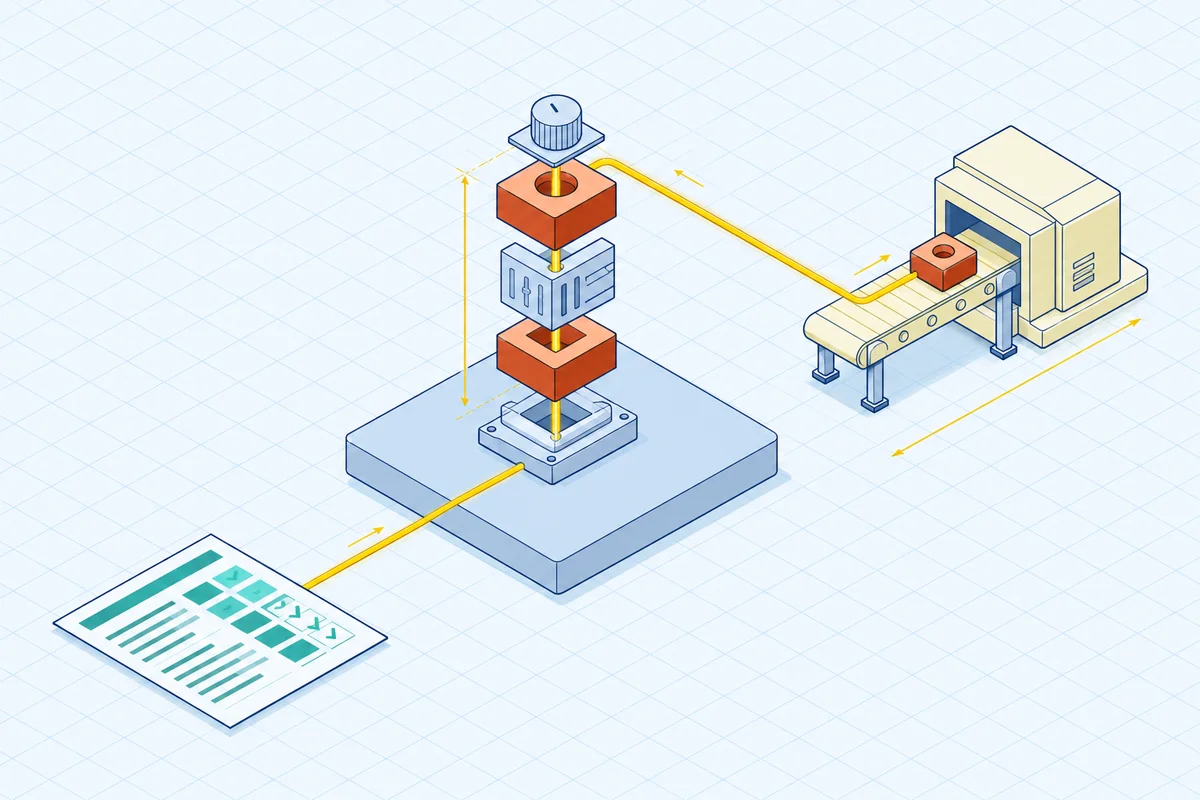
Capability matters alongside architecture. Experlogix positions itself for industrial-grade quoting, including:
- hundreds of configuration options
- multi-tier pricing
- guided selling
- bill of materials (BOM) and routing automation
- low-code administration, so business users can maintain rules and product logic instead of filing developer tickets
Consider fit honestly. A dedicated configurator may add complexity you don't need in three cases: your catalog is simple, your revenue is pure subscription, or you've already committed to an RCA reimplementation. The case gets stronger when you need deep configuration, mixed revenue streams, manufacturing output, and admin self-sufficiency.
Questions That Separate Architecture Claims From Marketing
Test vendors with your own hardest quote, not a demo catalog, and ask for specific answers.
- Which system holds the master record for accounts, products, price books, quotes, quote lines, approvals, and documents?
- Where does the pricing and configuration engine run, and how long does a round trip take on a large quote?
- Does the vendor write to standard and custom Salesforce objects, and does that require development work?
- Is middleware or an iPaaS required for CRM or ERP flows, and who owns and monitors it?
- What happens to quoting during a Salesforce outage, and during a vendor outage?
- Where is data physically stored and retained, and does that satisfy your residency, permission, and audit requirements?
- What reporting on quote line detail is available in Salesforce after a quote is saved?
- Which changes can a business administrator make without a consultant, and which can't they make?
The Bottom Line on Native vs. Synced Quote Data
Salesforce CPQ's end of sale forces an architecture decision that many organizations put off for years. Salesforce isn't forcing a deadline: you can renew, add users, and keep your support while you plan. But when you do evaluate, the native-versus-synced choice will shape your data integrity, reporting accuracy, security posture, and admin workload for the next decade.
Native keeps the system of record in one place but accepts platform constraints on large, complex quotes. A synced CPQ on an external quoting platform can offer deeper configuration capability. The trade-off is that every replicated object becomes something to monitor, reconcile, secure, and explain to auditors. An embedded approach keeps Salesforce CRM authoritative while adding configuration depth. The goal is to get the capability without the replication overhead, and Experlogix CPQ is built around that architecture for Salesforce customers.
Judge the options on verified behavior, not vendor vocabulary. A practical next step is to build a one-page data map of your current quoting process:
- List every object your quotes depend on.
- Mark which system owns each object today.
- Mark where each object would live under each path you're considering.
The paths with the fewest duplicate masters and the fewest integrations you maintain yourself usually stay the most accurate and affordable as your catalog grows.
FAQ
What is the difference between native and synced CPQ?
A native CPQ runs on the Salesforce platform as a managed package, so its objects and logic live in Salesforce and Salesforce CRM is the system of record. A synced CPQ runs on an external quoting platform. It copies accounts, products, and price books out of Salesforce, calculates configuration and pricing in its own environment, and writes the results back, often through middleware or an iPaaS.
What is an embedded CPQ?
An embedded CPQ shows its interface inside Salesforce and reads from and writes to Salesforce data directly. To reps, it looks like native, since they quote without leaving the CRM. You should still confirm with the vendor which records are authoritative and which, if any, are copies.
Is a Salesforce-native CPQ always better?
No. Native architecture avoids replication, but it shares Salesforce governor limits. These can slow or break very large quotes and deeply nested bundles. Growing rule sets and QCP customizations also tend to need specialist support. Native works well for moderate-complexity quoting with a stable catalog. More complex requirements call for a closer look at each architecture's actual behavior.
What happens to quoting during a Salesforce or vendor outage?
It depends on the architecture. With native or embedded CPQ, quoting generally depends on Salesforce availability. A synced CPQ depends on both the external platform and the sync connection, so an outage on either side can stall quotes or leave records out of step. Ask each vendor to explain how in-progress quotes behave in both scenarios.
How does CPQ architecture affect data residency and audit scope?
Every platform that stores customer, pricing, and discount data falls within your security, privacy, and audit scope. A synced architecture that copies this data to an external platform means your residency commitments, retention policies, permission models, and breach response must be satisfied in two places. Keeping Salesforce as the single system of record keeps that scope narrower.
What are SBQQ objects in Salesforce CPQ?
SBQQ is the namespace prefix for the custom objects that the Salesforce CPQ managed package installs, such as its quote and quote line objects. These objects sit alongside standard Salesforce records like Product2 and Pricebook. Their design is a key reason native Salesforce CPQ is subject to managed-package constraints, which our guide to managed-package limits covers in more depth.
Keep Salesforce as your system of record and add configuration depth