
Vitech is a familiar name to the teams running group benefits, life, annuity, and public retirement administration, and its cloud-native V3locity platform sits squarely on the system-of-record side of those operations. What often proves harder is everything wrapped around the record: the member packets, benefit statements, plan documents, correspondence, and regulatory notices that have to be accurate, jurisdiction-correct, on-brand, and provably delivered. When those document processes depend on developers, consultants, or release cycles, operational agility quietly becomes a queue.
TL;DR
- Vitech, whose acquisition by Majesco closed in January 2026, administers the authoritative plan, member, policy, contribution, benefit, and claim state; documents are a downstream expression of that state, and they touch far more systems than the core alone.
- Document complexity around Vitech comes from jurisdictional variation across states, provinces, and regions, plan-specific and product-specific wording, effective-dated content, multi-source data, and long assembled packets.
- A dedicated document layer does not replace core administration. It centralises templates, assembly logic, approvals, delivery, and evidence across Vitech and other back-office systems.
- Experlogix Document Automation is deployed alongside existing platforms and connects through a flexible API, Smart Forms for data capture, Smart Flows for workflow, and Content Manager for governed assets, with Microsoft Word-based templates that business users can maintain.
- AI can accelerate configuration and assist review, but regulated judgement — eligibility, coverage, benefit, and claim decisions — stays with authorised people and systems.
Happy shiny people. Insurance marketing loves the image of policyholders and plan members living their best lives, blissfully unbothered by the risks their cover protects them from — and a centralised document layer that lets business users manage document automation accurately and quickly, without heavy ongoing IT labour, lets the insurance professionals behind the scenes live their best lives too.
What Vitech Owns, and What Sits Around It
Vitech’s platform is a core administration system. It holds the authoritative view of plans, members and participants, coverage and contract terms, contributions, premiums, benefits, claims, and the transactions that change them. In group benefits and retirement administration in particular, that record is unusually relational: an employer group, a plan, a division, a class, a participant, a beneficiary, and a payment schedule can all contribute to a single communication.
Majesco closed its acquisition of Vitech in January 2026, which matters mainly for one practical reason: architecture decisions taken now sit inside a broader portfolio conversation. That argues for a document approach that is deliberately decoupled from any one core system’s release cadence.
Around the core, most organisations run a familiar constellation — a CRM such as Microsoft Dynamics 365 or Salesforce, a workflow platform such as Microsoft Power Automate, an eSignature service such as DocuSign, Adobe Acrobat Sign, OneSpan Sign or ConsignO Cloud, and an archive such as Microsoft SharePoint, OpenText, or Hyland. Documents are where all of those systems meet, which is precisely why document operations rarely stay neatly inside one application.
The Documents Insurers Actually Generate Around Vitech

Mapping real document inventory is the most useful exercise an operations team can run before any technology discussion. Around a Vitech implementation, that inventory typically spans:
Each of these has a different trigger, a different data profile, a different approver, and a different retention rule. Treating them as one undifferentiated pile of “correspondence” is the root cause of most document backlogs.
- Onboarding and enrolment: enrolment confirmations, plan summaries, evidence of insurability requests, beneficiary designation forms, welcome packets, and ID cards.
- Issuance and plan setup: master contracts, group policy documents, certificates of coverage, evidence of coverage, schedules of benefits, and plan amendments.
- Mid-term change: endorsements, class and division changes, plan amendment notices, and salary or coverage adjustment confirmations.
- Billing and finance: premium invoices, contribution statements, reconciliation notices, premium increase notices, and cancellation or lapse notices.
- Claims and benefits: acknowledgements, requests for information, benefit determination letters, payment advices, offset and overpayment notices, and closure correspondence.
- Retirement and pension servicing: annual member statements, benefit estimates, retirement option packages, buy-back and service purchase quotations, and annuity election forms.
- Compliance and reporting: required regulatory notices, product disclosures, tax forms, audit reports, and filing packages.
- Distribution and broker servicing: broker and consultant packets, commission statements, and renewal proposals.
Where Document Complexity Emerges
Jurisdiction, edition, and effective date
Required wording varies by state, province, and region, and it changes on schedules that nobody controls. A governed document estate has to answer three questions reliably: which wording applied, which edition was in force, and which effective date governed the transaction. Reproducing a benefit determination letter from three years ago means reproducing the content as it stood then — not as it stands today. That requirement alone usually justifies version control, edition metadata, and effective-dated content rules.
Plan-level and product-level variation
Group benefits and retirement books are rarely uniform. Employer-specific wording, negotiated plan provisions, bilingual requirements, legacy books acquired through consolidation, and brand variations across subsidiaries all multiply template counts. Without conditional assembly, that multiplication becomes hundreds of near-identical templates that each need separate compliance review.
Data that is never simply “output as-is”
This is the part most underestimated. Document-ready content is rarely a direct field copy. Contribution histories need aggregating. Benefit estimates need formatting against assumptions. Nested structures — dependants, coverage lines, payment schedules — need unpacking into readable tables. Codes need translating into approved descriptions through lookups. Historically, each of those transformations has meant a script, a developer, and a release.
Multi-source assembly
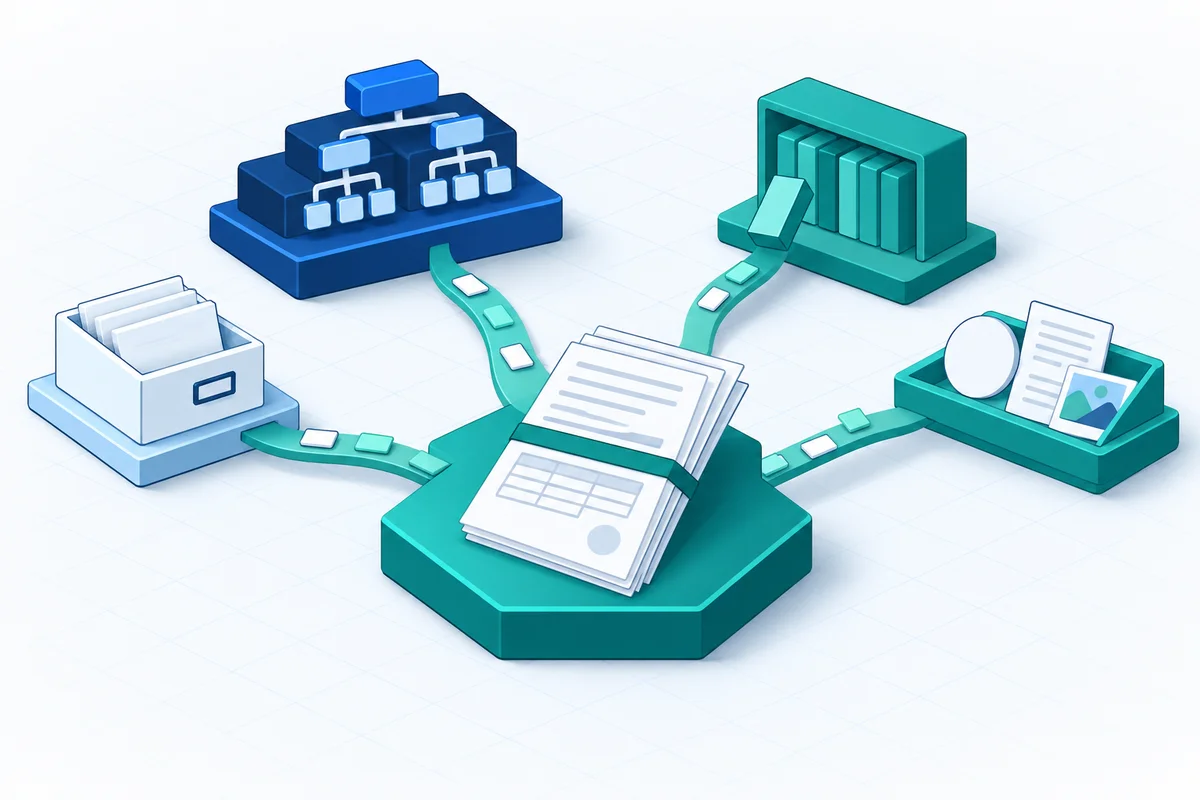
A single member packet may draw policy and benefit data from Vitech, relationship and preference data from CRM, licensed or standard form language from a content library, and supporting assets such as logos, disclosures and PDF forms from a managed repository. The document layer’s real job is reconciling those sources under one set of rules.
Volume with uneven shape
Annual statement runs, open enrolment, renewal cycles, mass plan amendments, and event-driven notice campaigns create sharp peaks alongside steady interactive generation. The architecture has to handle a 60-page assembled packet and a 200,000-item batch without separate tooling.
One governed packet, many sources
Native Output Versus a Dedicated Document Layer
Core administration platforms, Vitech's included, produce documents. The useful question is not whether native output exists — it does — but which documents belong where.
A reasonable boundary tends to look like this.
Documents that are tightly bound to a single core transaction, require no external data, and change rarely are often best left native.
Documents that span multiple systems, carry heavy conditional logic, change frequently under compliance pressure, need business-user authorship, or must be produced consistently across more than one administration platform are strong candidates for a dedicated layer.
The second case is where centralisation pays. Many organisations run more than one core system — a legacy book here, an acquired platform there, Vitech for group and retirement lines. Maintaining the same cancellation notice three times, in three different tools, with three different approval trails, is an avoidable tax. A centralised document layer lets one approved template estate, one brand standard, and one set of workflows serve Vitech alongside other back-office applications, systems, and databases.
This is one architectural option, not the only one. It is most compelling where template change velocity is high and where documents genuinely cross system boundaries.
Integration Architecture: Making the Connection a One-Time Design Decision
Experlogix Document Automation is deployed alongside existing insurance systems and connects through a flexible, well-documented API. The API exposes an extensive library of calls that let your own applications and services invoke document generation, workflow automation, and delivery management, with role-based API keys that help teams define permissions at the integration level and keep responsibilities separated.
Practically, API-led integration is a one-time architectural setup — increasingly one that AI assistance can help scaffold — that then carries ongoing operational strength. Once the interface is defined, it absorbs new document types, new plans, new jurisdictions, and higher volumes without renegotiating the connection.
The design work worth doing up front:
- Data contract. Define the payload: which entities, which nested structures, which calculated values, and what happens when a field is absent. Agree default and suppression rules for missing data rather than discovering them in production.
- Trigger model. Decide which events generate synchronously (a member-facing request in a portal), which are queued, and which are scheduled or batched (annual statements, renewal runs).
- Identity and access. Service identities, scoped keys, role-based access to templates and content, and clear separation between authoring, approval, and production.
- Delivery and archive. Email, print stream, portal, mobile, and eSignature via DocuSign, Adobe Acrobat Sign, OneSpan Sign or ConsignO Cloud, with the final artefact and its metadata landing in the archive of record.
- Write-back. Status, document reference, and delivery evidence returned to the core so servicing staff see the full picture without leaving their system.
- Failure paths. Idempotency keys for duplicate events, retry policy, partial-batch handling, reconciliation reporting, and monitoring that alerts on volume anomalies rather than only on hard errors.
Experlogix Document Automation can connect to an unlimited number of data sources, which is what makes multi-system assembly a configuration exercise rather than a custom build. IT owns the integration, the security model, environments, and releases; the business owns what goes in the document.
Business Ownership Without Losing Control

The reason document change is slow in most insurance organisations is rarely technical. It is that the people who understand the wording cannot change the wording.
Experlogix templates are built using the same functionality as Microsoft Word, so business users can author simple or complex templates without coding knowledge, using software they already know. Content Manager provides a secure, structured repository for digital assets — PDF forms, documents, logos, images, and multimedia — organised in a familiar folder-like structure with advanced search, linked metadata forms, field mapping, and version control. Smart Forms capture data that does not already exist in a core system, with customisable fields, validation, conditional logic, and the ability to collect digital signatures and attachments, feeding captured data straight into document flows. Smart Flows orchestrates the sequence: generate, route for approval, send for signature, deliver, store, and update connected systems.
The governance point matters as much as the authoring point. Version control and approval routing mean business ownership does not mean unreviewed change. Compliance still signs off; it simply stops being a bottleneck created by developer availability.
AI and Automation, Inside the Governance Frame
AI belongs in insurance document operations as an accelerator and an assistant, not as a decision-maker. In regulated processes, eligibility, coverage, benefit calculation, and claim determinations remain with authorised people and systems.
Where it earns its place: assisting template and workflow configuration, suggesting content for review, supporting document review and quality checks, and accelerating implementation work that would otherwise consume specialist time.
There is also a growing interaction pattern worth understanding. The Smart Flows MCP server — a Model Context Protocol server published and available for use in Microsoft Copilot Studio — allows Copilot agents to discover available Smart Flows, understand what inputs each requires, initiate execution, track status, and retrieve generated documents and metadata. The architectural significance is that automation logic stays inside the governed flow rather than inside the agent. A service representative can ask for a benefit statement package in natural language; the flow still enforces the data sourcing, the approval path, the approved template, and the audit trail. Conversation becomes the interface; governance stays where it was.
Operational Realities and Honest Trade-Offs
Centralising documents is not free. It introduces a second platform to run, a data contract to maintain, and an ownership conversation between core, operations, compliance, and IT that has to be settled explicitly rather than assumed.
Be clear-eyed about these questions before committing:
- Which documents stay native, and who decides when that boundary moves?
- Who owns the trigger, the data, the template, the approval, the delivery evidence, the archive, and the write-back?
- How will peak scenarios — annual statement runs, open enrolment, mass amendments — be performance-tested before they happen rather than during?
- How will historical reproduction work, including the correct edition and effective date?
- What evidence proves which template, data, approver, signature, channel, and retention rule applied to a given document?
If those answers are vague today, they are worth resolving regardless of which tooling you choose. They are the difference between automation that scales and automation that becomes another thing to reconcile.
Summary
Vitech holds the authoritative administration record for group benefits, life, annuity, and retirement operations. Documents are how that record reaches members, participants, employers, brokers, and regulators — and they rarely depend on the core system alone. Complexity concentrates in jurisdictional and plan variation, effective-dated wording, multi-source assembly, and uneven volume, which is why document change so often ends up queued behind development capacity.
A dedicated document layer alongside Vitech is one credible architectural response. It centralises templates, assembly logic, approvals, delivery, and evidence across the systems that already exist, rather than replacing any of them. Experlogix Document Automation fits that pattern through API-led integration, Word-based templates business users can maintain, Smart Forms for data capture, Smart Flows for orchestration, Content Manager for governed assets, and eSignature and archive connectivity at the end of the chain.
A reasonable next step is unglamorous and highly effective: inventory your document types around Vitech, tag each one by trigger, data sources, change frequency, approver, and retention requirement, then draw the native-versus-centralised boundary deliberately. That single exercise will tell you more about where automation will pay than any platform comparison, and it gives operations, compliance, and IT a shared map to work from.
Frequently Asked Questions
What role does Vitech play, and where does document production begin?
Vitech's platform is a core administration system. It holds the authoritative view of plans, members and participants, coverage and contract terms, contributions, premiums, benefits, claims, and the transactions that change them. In group benefits and retirement administration in particular, that record is unusually relational: an employer group, a plan, a division, a class, a participant, a beneficiary, and a payment schedule can all contribute to a single communication.
Where does insurance document complexity arise around Vitech?
Required wording varies by state, province, and region, and it changes on schedules that nobody controls. A governed document estate has to answer three questions reliably: which wording applied, which edition was in force, and which effective date governed the transaction. Reproducing a benefit determination letter from three years ago means reproducing the content as it stood then — not as it stands today.
When is native document output enough alongside Vitech?
Core administration platforms, Vitech's included, produce documents. The useful question is not whether native output exists — it does — but which documents belong where.
How should a governed document layer connect with Vitech?
Experlogix Document Automation is deployed alongside existing insurance systems and connects through a flexible, well-documented API . The API exposes an extensive library of calls that let your own applications and services invoke document generation, workflow automation, and delivery management, with role-based API keys that help teams define permissions at the integration level and keep responsibilities separated.
Who should own document templates, approvals and governed changes?
The reason document change is slow in most insurance organisations is rarely technical. It is that the people who understand the wording cannot change the wording. Experlogix templates are built using the same functionality as Microsoft Word, so business users can author simple or complex templates without coding knowledge, using software they already know.