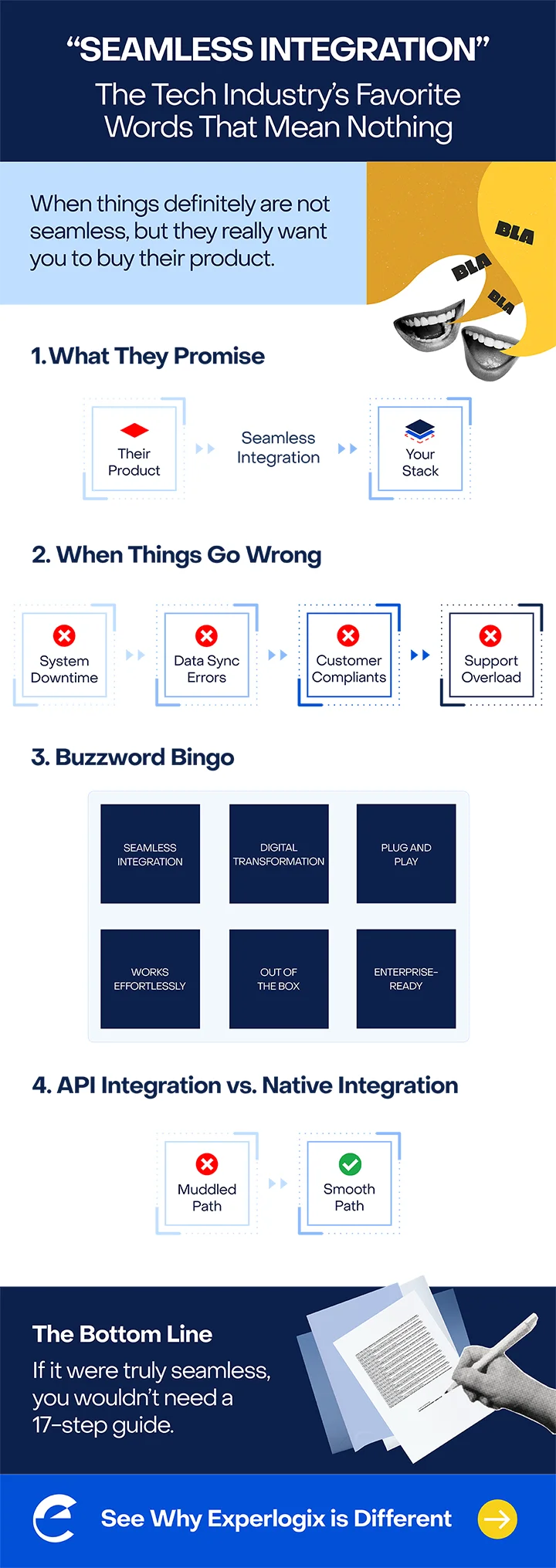
A quick search will show you that more than 172 million results use the phrase “seamless integration.”
The words appear on countless CPQ landing pages, CRM brochures, ERP datasheets and other business software marketing.
It’s used so much that it doesn’t really act like a software product claim anymore.
It’s more like graffiti that says “marketing was here.” The phrase is everywhere because it costs nothing to say and there’s no standard to measure whether the vendor delivered.
What the tech world means when it says seamless integration
There’s not a single definition, but ask around and you’ll get a similar short list:
- Data synchronization
- Interoperability
- Automation between systems
These are all necessary things, but they’re table stakes in business technology. The more meaningful integration question breaks down into two parts.
Part one: How hard is it to implement?
How many weeks or months until your CPQ is talking to your CRM, your ERP, and the rest of your software universe? The answer ranges from a few months to most of a year, depending on your business rules, the state of your data, and how much you want to do yourself rather than pay someone else to do.
Part two: How hard is it to scale and use years after implementation?
This is the part of question your sales reps and your customers will answer, every day, for as long as the system is in place. How often does performance break? And what is the real user experience when navigating two or more systems?
Seams, Damn Seams and Customer Experience
A sales rep is sitting across the desk from a prospect. They open the CPQ tool and start building the quote.
The customer is watching.
The configuration goes fine; the rep easily selects compatible options, and the system automatically validates and prices everything.
The rep moves to attach the quote to the customer’s record in the CRM so the deal can advance. A pricing field comes back blank. Then a customer field, and then a discount tier that the rep knows exists.
“That’s weird, give me one second.”
The rep refreshes. Same thing.
The CPQ and the CRM are supposed to be talking to each other. The integration was tested, signed off and in production for months. However, something between them isn’t working. An API endpoint deprecated, a token expired or maybe a schema changed on one side and not the other.
The rep reaches for the phone. “Hang on, I’m going to call our support team real quick.”
The customer is no longer watching their quote materialize. They’re watching the rep talking to support on the phone.
And now the seams in your “seamlessly integrated” CPQ solution kill the deal. Most CPQ buyers have heard about, or lived through, a version of this moment.
On the other hand, you can’t have an API break between two systems if they share a data model and don’t rely on middleware.
The Truth About CPQ Integration
There are multiple ways CPQ software can be “integrated” with your CRM or ERP.
The first way: the CPQ has its own database, its own UI, and its own logic. It connects to your CRM through middleware or APIs. Data has to be pushed, pulled, or synced across systems. The two systems share information, but they don’t share a data model. When you configure a quote, you’re working in the quoting system. When you save it to the CRM, you’re translating from one world to another.
Just because a vendor paints over the seams doesn’t mean they’re not there.
The second way: the CPQ writes directly to the CRM’s own data model. There is no separate database holding the quote. The rep never leaves their system, and every screen looks like the CRM/ERP screens because the systems aren’t held together by a patchwork of APIs.
The difference shows up in the configuration process. The customer never watches a sync wheel spin. The quote moves into the deal record because the system translates the quote automatically.
How to Put “Seamless Integration” to the Test
Next time a CPQ vendor (including us. We’re not above throwing a “seamless” around here and there).
Count the rep’s screens, number of tabs, logins, and note differences in user interfaces.
If the demo includes a “send to CRM” or “push to ERP” step, ask where the quote was living before that button got pressed. A second database means a second source of truth, which means the seam is real, just hidden behind a button.
Seamless integration will keep getting used in tech marketing. It’s free, and it sounds good on a bullet list.
Just make sure the vendor isn’t hiding the seams.