If your quoting process runs on the Salesforce CPQ managed package, you have probably hit its limits: calculations that slow down on long quotes, rules that only a specialist can safely change, and SBQQ objects that quietly shape how your data is modeled. These are not configuration mistakes. They follow from running configure-price-quote (CPQ) logic inside a packaged application on a multitenant platform with shared execution limits. This article explains where the Salesforce CPQ managed package limitations come from, which ones you can engineer around, which ones are structural, and what your options are now that Salesforce has stopped selling CPQ to new customers.
TL;DR
- Salesforce CPQ managed package limitations come from the architecture, not from how it is administered. The package runs inside Salesforce's shared execution environment, so governor limits, SBQQ object volume, and Quote Calculator Plugin (QCP) customizations all draw on the same runtime budget.
- Large quotes show the symptoms first: slow price calculation, timeouts on deeply nested bundles, long-running batch jobs, and quote line counts that push reps into spreadsheets.
- Salesforce CPQ is still supported. Salesforce stopped selling it to new customers in March 2025. That is end of sale, not end of life. Existing customers can keep using it, renew, add users, and get support, and Salesforce has not announced an end-of-life date.
- You have three realistic paths: optimize what you have, reimplement on Revenue Cloud Advanced (RCA), or keep Salesforce CRM as your system of record and replace only the quoting layer.
- Experlogix CPQ takes the third path. It gives reps an embedded quoting experience inside Salesforce. Configuration and pricing logic run in Experlogix's own rules engine, which reads from and writes back to standard or custom Salesforce objects.
Where Salesforce CPQ Managed Package Limitations Actually Come From
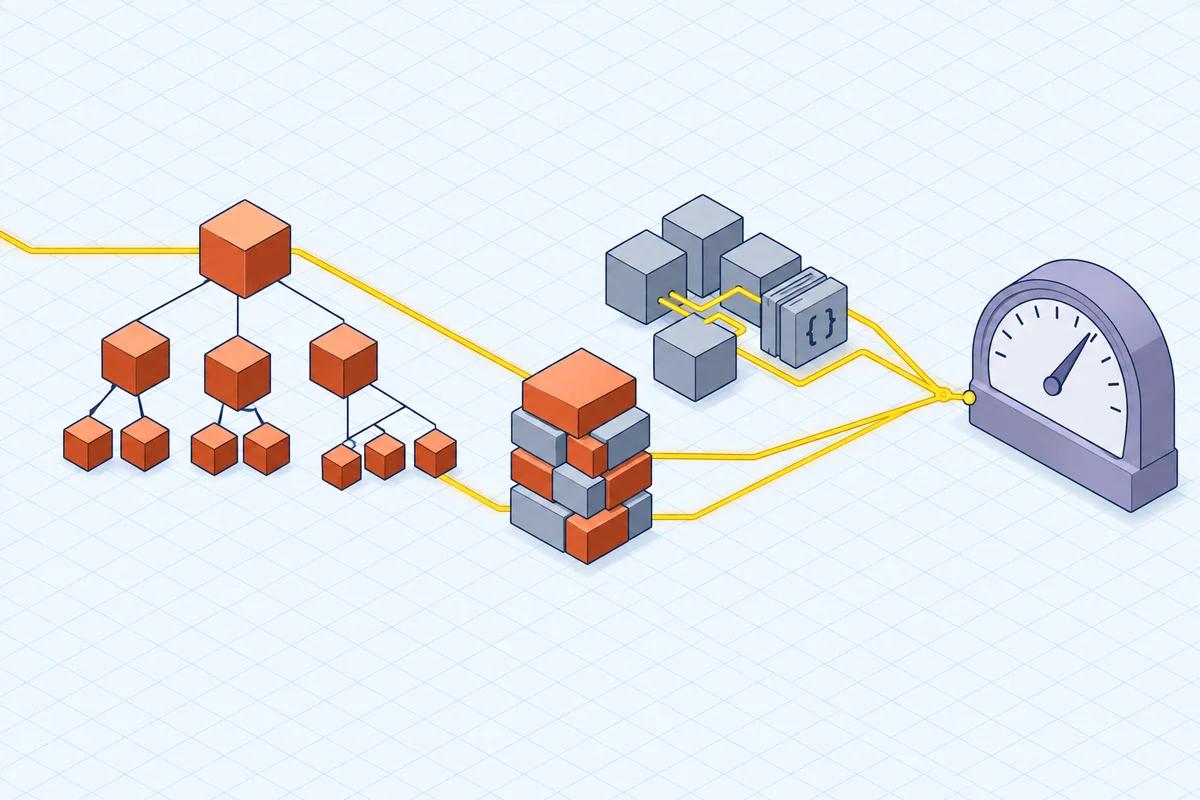
Most Salesforce CPQ managed package limitations come down to where the work happens. The package runs its configuration, pricing, and quote line calculation inside your Salesforce org. Every calculation shares platform resources with your flows, triggers, validation rules, and other packaged apps.
That design has real benefits. Everything sits in one security model, one permission structure, and one reporting layer. For moderate-complexity quoting, with modest bundles and clean pricing, Salesforce CPQ handles the job well and has done so for years.
The constraints appear as complexity rises. Three things interact:
- Governor limits. Salesforce caps CPU time, SOQL queries, DML statements, heap size, and records processed in each transaction. Certified managed packages get their own allowance for some of these counts. CPU time and heap are still shared across the whole transaction, so your org's custom automation and the package compete for the same budget.
- SBQQ objects. The CPQ data model adds its own object set, prefixed SBQQ, covering quotes, quote lines, quote line groups, product options, product rules, price rules, and more. Complex products multiply records. A single configured bundle can generate many quote lines, option records, and rule evaluations.
- Quote Calculator Plugin (QCP). The QCP is the supported way to add custom pricing and field logic to the calculation sequence. It is powerful and widely used. It is also custom code that runs on every calculation, which makes it a common source of both performance problems and dependence on the people who maintain it.
None of this means the package is poorly built. It means the more configuration logic you push into it, the more you are asking a packaged app to act like a dedicated product configurator inside a shared runtime.
How These Limits Show Up on Large Quotes
Performance on large quotes is almost always the first warning sign. A quote with hundreds of lines, nested bundles, and layered price rules recalculates on nearly every change, and each recalculation runs through the rule set again.
Typical patterns teams report
- Price calculation slows noticeably as line count grows, so reps batch their edits or avoid editing at all.
- Timeouts or Apex CPU time limit errors occur when a deeply nested bundle triggers a long chain of product rules and price rules in one transaction.
- Approval and document steps inherit the delay because they depend on a fully calculated quote.
- Reps export the biggest deals to spreadsheets, and that is exactly when quote accuracy and quote-to-cash integrity start to slip.
Why nested bundles are the usual trigger
Nested bundles increase quote lines and rule evaluations at the same time. When a configurable product contains options that have options of their own, the result is a wide tree of records. Each level may carry its own product rules, option constraints, and pricing behavior, so transaction cost grows faster than the catalog does.
Why QCP makes tuning harder
The QCP runs inside the calculation sequence, so its custom logic is subject to the same limits as the package. It also becomes part of what you have to regression-test. Every seasonal release, new pricing requirement, and migration evaluation has to account for what the plugin does. In many teams, only a few people understand the plugin, often external consultants, which slows down routine changes.
What You Can Fix, and What You Cannot
Engineering effort fixes some Salesforce CPQ managed package limitations. Others are built into the design.
These are worth doing and often work:
- Audit and consolidate product rules and price rules. Overlapping or redundant rules are a common source of avoidable calculation cost.
- Review QCP code for queries inside loops, unnecessary recalculations, and logic that could move into configuration.
- Reduce bundle depth where the business doesn't actually need it. Modeling habits often outlive the requirement that created them.
- Keep org automation out of CPQ transactions where you can, so your own triggers and flows don't inflate package transactions.
- Set realistic expectations for quote size, and test against your largest real quote rather than a demo catalog.
These are harder to solve from inside the package:
- A genuine need for hundreds of configuration options with deep interdependencies evaluated in real time. These limitations for complex, configurable products come from the configuration model itself, not only the runtime.
- Engineer-to-order and configure-to-order (ETO and CTO) products, where the configuration drives manufacturing output rather than a list of line items.
- Bill of materials (BOM) and routing generation that has to reach an enterprise resource planning (ERP) system ready for production.
- Sustained quote volume, where every rep's recalculation competes for the same org resources.
If your problems fall mostly in the first list, optimization is usually the cheaper answer. If they fall in the second, you are working against the design, and tuning won't fix it.
Your Three Paths, Honestly Compared
The end-of-sale news matters here, but it is no reason to panic. Salesforce stopped selling Salesforce CPQ to new customers in March 2025. Existing customers can keep using it, renew, add users, and receive support, and Salesforce has not announced an end-of-life date. What has changed is investment. Salesforce's strategic focus has moved to Revenue Cloud Advanced, now part of Agentforce Revenue Management, and Salesforce CPQ is not getting meaningful new feature development.
Path one: stay and optimize
This path makes sense when your quoting is moderately complex, your performance problems can be fixed by tuning, and no upcoming product or pricing initiative will break your current model. You keep a supported system and buy time. The trade-off is that you are investing in a platform that is no longer advancing.
Path two: reimplement on Revenue Cloud Advanced
Revenue Cloud Advanced uses a different data model and configuration approach, so moving from Salesforce CPQ to RCA is a reimplementation, not an upgrade. You have to redesign and retest your product catalog, pricing logic, rules, approval workflows, templates, and any QCP customization. None of it carries over as is. Scope drives how long a migration takes, so plan for a full redesign project. This path makes sense when you want a broader revenue platform inside Salesforce and have the appetite and budget for that project.
Path three: keep Salesforce CRM, replace the quoting layer
On this path, Salesforce CRM stays your system of record and only the configure-price-quote engine changes. The project is limited to quoting, and you keep your CRM investment, reporting, and security model. Consider this path when the problem is configuration depth, not Salesforce itself.
How Experlogix CPQ Approaches the Same Problem
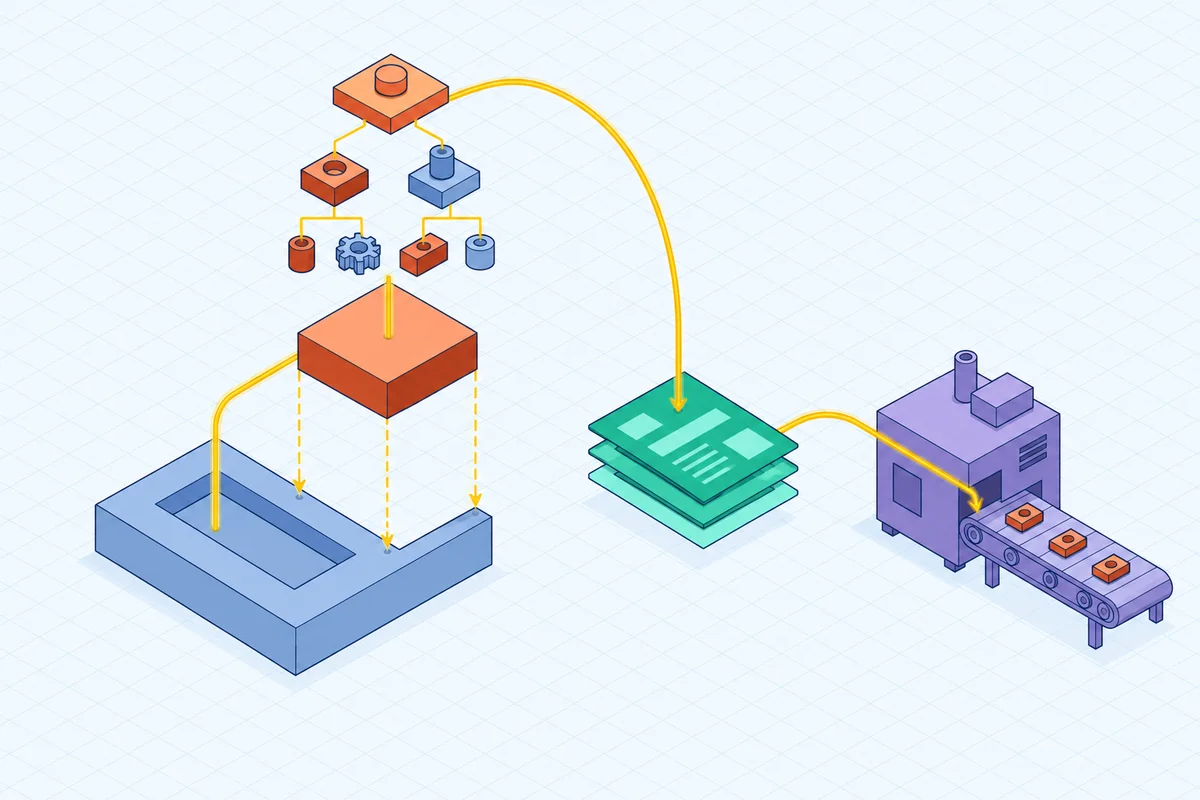
Experlogix CPQ brings industrial-grade configuration to Salesforce while Salesforce CRM stays the authoritative system of record. The practical difference is where you define configuration and pricing logic. You don't build it from SBQQ product rules, price rules, and QCP code layered inside a managed package. You model it in the Experlogix CPQ rules engine, which is designed to evaluate thousands of options and dependencies in real time.
What that looks like in use:
- An embedded CPQ experience. Reps configure, price, and quote without leaving Salesforce. They work inside the CRM interface they already know, with no separate logins and no context switching.
- Read from and write to Salesforce. Experlogix doesn't just pull data from Salesforce. It writes back enriched configuration details, pricing calculations, and approval status in real time, to standard or custom Salesforce objects, without developers.
- Cloud Connect integration. Quotes, orders, and approvals stay in sync across CRM and ERP without custom code. That reduces the middleware and point-to-point integrations that tend to break with platform updates.
- Configuration depth. Experlogix CPQ handles hundreds of configuration options, multi-tier pricing, and BOM and routing automation, with bi-directional data flow between CPQ and CRM. Guided selling steers reps toward valid configurations.
- Business-user control. Low-code tools let administrators maintain product logic and pricing rules themselves rather than waiting on developers or consultants. That directly addresses the dependence on QCP maintainers.
Keeping the CRM as the single source of truth also matters for where your quote data lives. It avoids the downstream costs of copying quote data into a separate platform and syncing it back:
- stale or mismatched records
- sync failures and conflict resolution
- duplicate records
- reporting that reflects a copy instead of the source
- extra data governance exposure from storing the same data in more places
To be fair about fit: if your catalog is simple, your bundles are shallow, and your pricing is list-based, Salesforce CPQ is probably adequate and a replacement is hard to justify. If you are committed to a Revenue Cloud Advanced reimplementation for reasons beyond quoting, such as consolidating billing and the revenue lifecycle, that is a legitimate choice. Experlogix is worth evaluating when the binding constraint is configuration complexity, mixed revenue on a single quote, manufacturing output, or large-quote performance. Validate any alternative against your own largest quotes before you commit.
The Bottom Line on Managed-Package Limits and Your Next Move
Salesforce CPQ managed package limitations are architectural. Governor limits, SBQQ object volume, and QCP customizations all draw on the same shared execution budget. That is why performance problems show up first on large quotes and deeply nested bundles. Tuning helps, and you should do it, but tuning can't change where the work happens.
The decision in front of you is about fit, not urgency. Salesforce CPQ is still supported and renewable, with no announced end of life, so you have time to decide deliberately. Weigh three things:
- how much of your revenue depends on complex configuration
- how much developer or consultant time your current rules and plugin logic consume
- whether a Revenue Cloud Advanced redesign gives you capabilities you actually need
If the quoting engine is the constraint and Salesforce CRM is not, replacing only the quoting layer keeps your CRM as the system of record and limits the scope of change. The payoff is quieter: calculations that behave predictably as quotes grow, rules your own administrators can change, and quote data that lives where your reporting already looks.
Start with evidence. Take your three largest and most complex real quotes, measure their calculation time and line counts, and list every product rule, price rule, and QCP function they touch. That list tells you whether you have a tuning problem or a design problem, and it becomes the test case for any alternative you evaluate.
FAQ
What causes Salesforce CPQ governor-limit errors?
Salesforce CPQ calculates quotes inside your Salesforce org, so every calculation runs under the platform's per-transaction limits on CPU time, SOQL queries, DML statements, heap size, and records processed. Errors usually appear when a large quote or deeply nested bundle triggers a long chain of product rules, price rules, and QCP logic in one transaction. Your org's own triggers and flows compete for the same budget.
How should Salesforce CPQ alternatives be tested for large quotes and nested bundles?
Test with your own data, not a demo catalog. Use your three largest and most complex real quotes, including their deepest nested bundles, and measure calculation time, line counts, and behavior as reps edit. Confirm that every product rule, price rule, and QCP function those quotes rely on can be modeled. Check how results write back to your Salesforce objects.
What is the Quote Calculator Plugin (QCP)?
The QCP is the supported hook for adding custom JavaScript pricing and field logic to Salesforce CPQ's calculation sequence. It is powerful and widely used. It runs on every calculation and is subject to the same platform limits as the package, so it often contributes to performance issues. Teams also come to depend on the small group of people who maintain it.
Which Salesforce CPQ performance problems can be fixed by tuning?
Tuning often helps with problems caused by overlapping or redundant product and price rules, inefficient QCP code such as queries inside loops, bundle depth the business no longer needs, and org automation that inflates CPQ transactions. Tuning is less effective when the need itself is structural. Examples include hundreds of interdependent options evaluated in real time, ETO and CTO products, BOM and routing generation for ERP, and sustained high quote volume.
Does Salesforce CPQ QCP code migrate to Revenue Cloud?
Not directly. Revenue Cloud Advanced uses a different data model and configuration approach, so moving from Salesforce CPQ is a reimplementation, not an upgrade. You have to redesign and retest QCP logic along with your product catalog, pricing logic, rules, approval workflows, and templates.
Put Your Largest Quotes to the Test